Troubleshooting
Last reviewed: 2026-05-24
Most problems fall into one of a handful of buckets. Each section below describes the symptom, the quickest check you can do yourself, and the next step.
Can't sign in
Admins sign in with email and password at /login. Signers don't have a password — they click the magic link in their assignment email, which opens the signer portal directly. If you're a signer and the login page is asking for a password, you're on the wrong screen: go back to the email and click the link again.
Magic links expire. If the link says "expired" or "invalid", ask whoever assigned the policy to re-send it from the Assignments page. If your browser keeps bouncing you back to the login page after a successful sign-in, clear cookies for the workspace domain or try a private window — a stale session cookie is the usual cause. Forgotten admin password? Use Forgot your password? on the login page.
Didn't receive an email
Whether it's an invitation, a magic link, a reminder, or a billing receipt, the first place to check is your spam or junk folder. Accedo sends from a verified domain, but corporate mail filters occasionally quarantine first-time senders. Add the sender address to your safe-senders list so future emails go straight to your inbox.
If it's not in spam either, ask an admin to re-send. Admins can re-issue an invitation from Users and re-send a magic link from Assignments. If repeated re-sends still don't arrive, your address may have landed on the bounce-suppression list after an earlier failed delivery — an admin will need to contact support to clear it.
Don't see a policy I expect
The signer portal only shows policies that have been explicitly assigned to you. If My Policies is empty and you were expecting to sign something, it means no assignment exists for your account yet — not that the policy is missing.
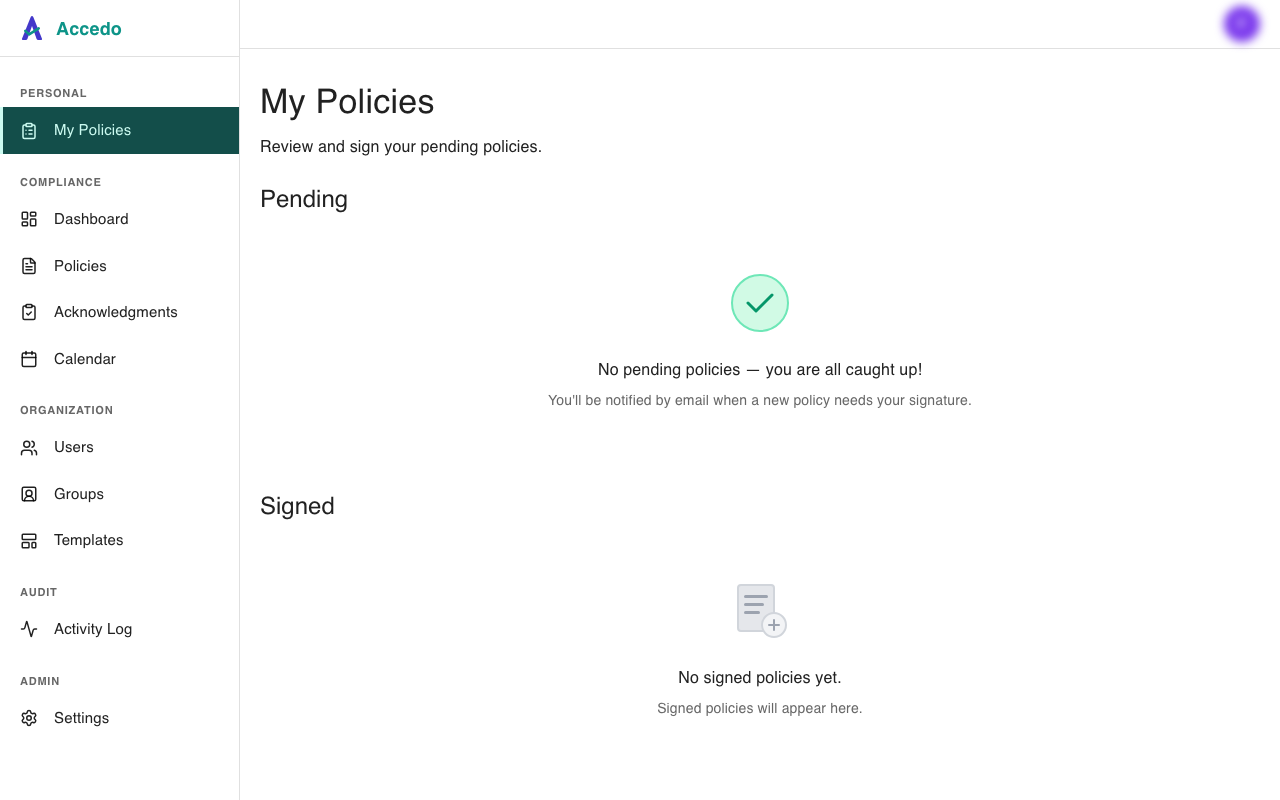
Ask the admin who manages the policy to assign it to you directly or to a group you're a member of. Once they do, the policy appears under Pending within seconds and you'll receive a sign-off email. See Assignments overview for how assignment by user, role, and group works.
Admin: Manage Billing button missing
On Settings → Workspace → Billing, admins normally see a Manage Billing button that opens the Stripe customer portal. If the panel only shows plan and usage with no button (as below), your workspace doesn't have a linked Stripe customer record yet.
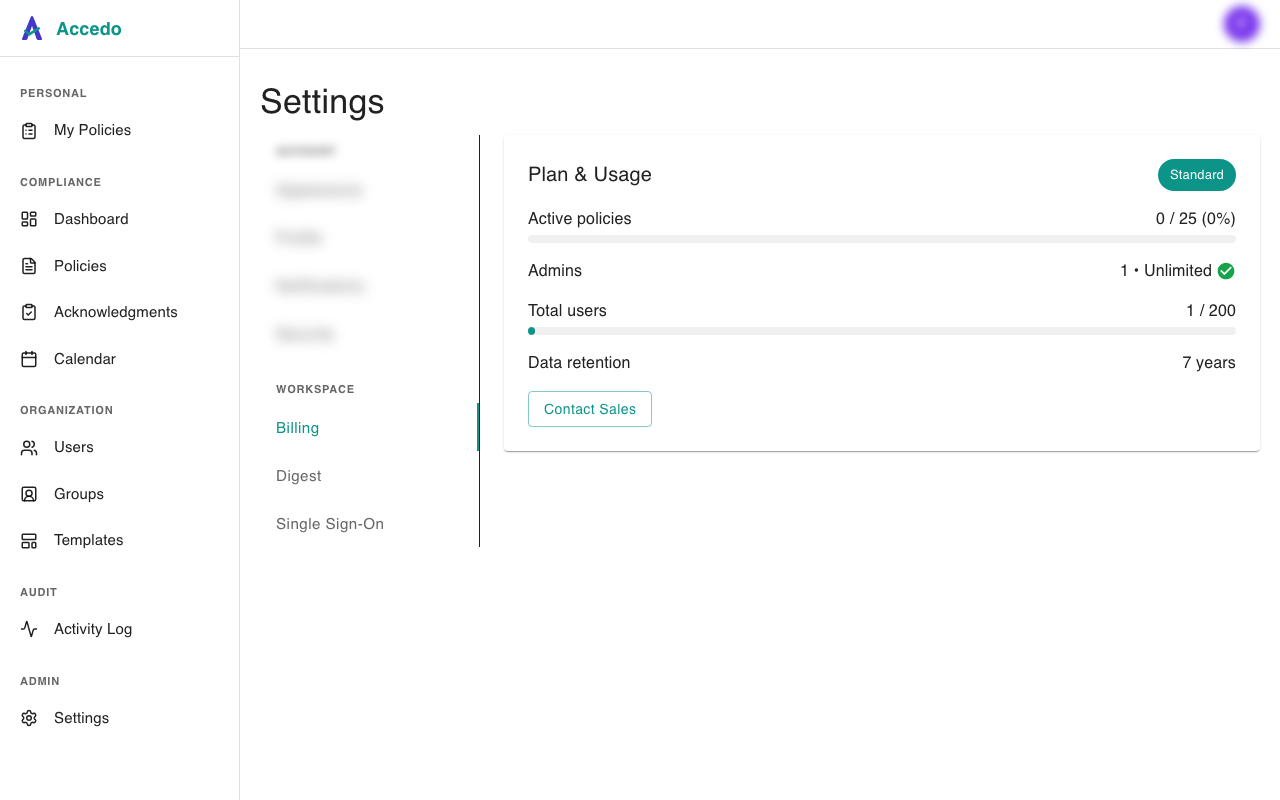
This is the expected state for workspaces created before the self-serve billing rollout, and for workspaces still on the free Standard tier. Choose a plan from /pricing to start a subscription — the button appears as soon as the Stripe link is created. See Billing and subscriptions for the full flow.
Anything else
If your problem isn't covered here, email support@yesaccedo.com. Include your workspace name, the email you sign in with, what you were trying to do, and what you saw instead — screenshots help. Admins should mention whether the issue affects one user or everyone.
See also
- Users and roles — who can do what, and how to add or deactivate teammates.
- Billing and subscriptions — plans, the Manage Billing flow, and invoice access.
- SSO and SAML — identity-provider sign-in problems and setup.
- Account settings — password changes, notification opt-outs, and the Sign out everywhere control.
- Assignments overview — how policies get assigned and why you might not see one yet.